
How to Integrate MTN Mobile Money and Orange Money Into Your Website in Cameroon
9/11/2026
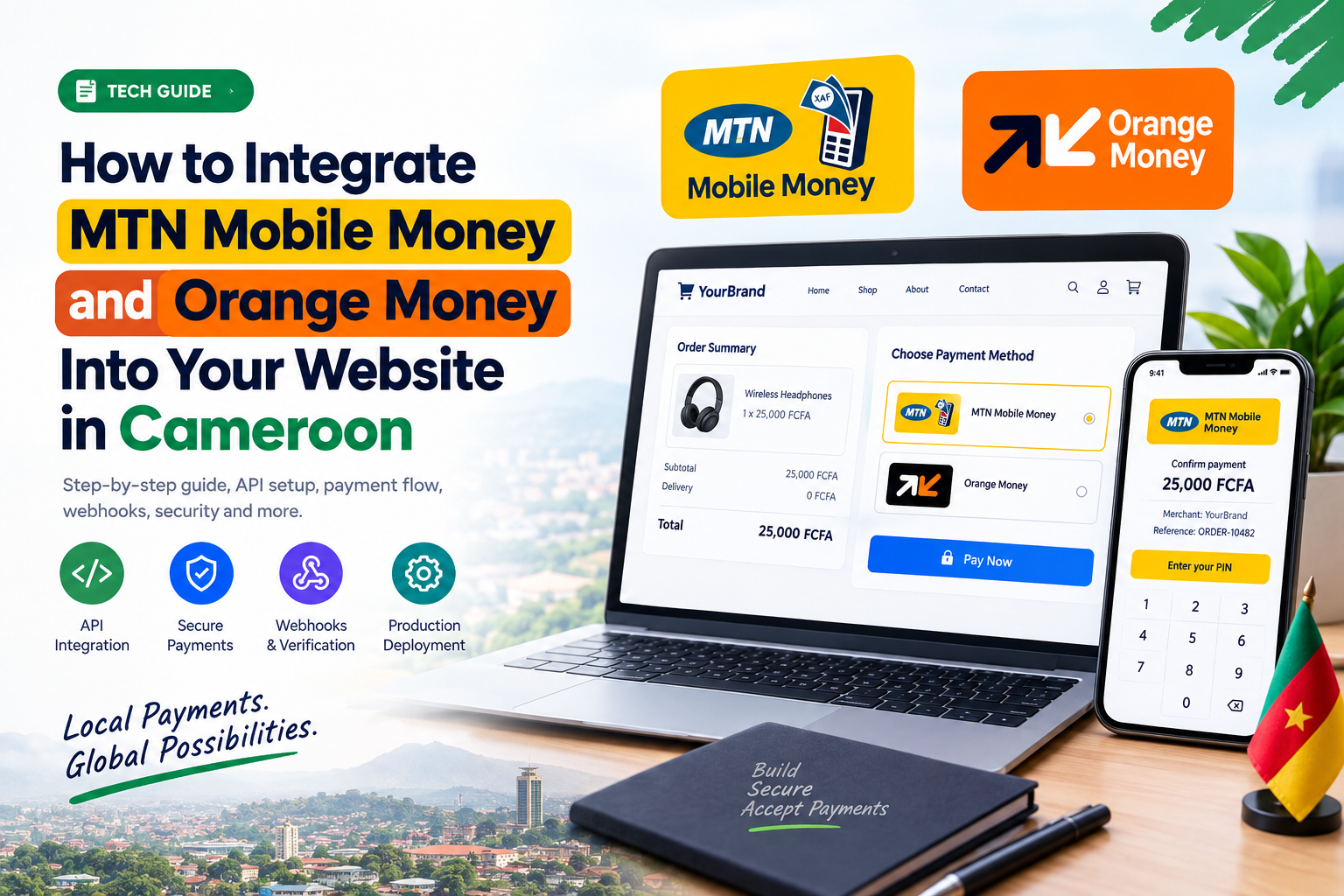
If you are building an e-commerce website, booking platform, school payment system, service marketplace, or business website in Cameroon, accepting local mobile money payments can make your website much more useful.
Instead of asking customers to manually send money and then send a screenshot on WhatsApp, you can create a proper online checkout where customers can pay using MTN Mobile Money or Orange Money.
In this guide, you will learn how mobile money website integration works, what you need before starting, how the payment flow works, how to handle payment confirmation, and the most important security practices to follow.
WHAT IS MOBILE MONEY INTEGRATION?
Mobile Money integration means connecting your website to a payment provider so customers can make payments directly through your website.
For example, a customer purchasing a product for 25,000 FCFA could see:
Choose your payment method:
MTN Mobile Money
Orange Money
After selecting a payment method, your website communicates with the payment provider through an API. The customer authorizes the transaction, and your website receives confirmation when the payment is completed.
Once the payment is successfully verified, your website can automatically confirm the order, update inventory, generate a receipt, and notify the customer.
HOW DOES MTN MOBILE MONEY AND ORANGE MONEY INTEGRATION WORK?
A typical payment system follows this process:
Customer
↓
Your Website
↓
Checkout Page
↓
Your Backend
↓
MTN Mobile Money or Orange Money API
↓
Customer Authorizes Payment
↓
Payment Provider
↓
Payment Confirmation or Webhook
↓
Your Backend
↓
Order Marked as Paid
The important part is that your backend should be responsible for processing and verifying payments.
WHAT DO YOU NEED BEFORE STARTING?
Before integrating MTN Mobile Money or Orange Money, you will normally need a website, a backend server, a suitable merchant or business account, and access to the payment provider's API or web payment solution.
You can build your website using technologies such as HTML, CSS, JavaScript, React, Next.js, PHP, Laravel, Node.js, Python, or Django.
Your backend is responsible for communicating securely with the payment provider.
You may receive credentials such as an API key, client ID, client secret, merchant ID, or other authentication credentials depending on the payment product you use.
Never expose private API credentials in your HTML, CSS, JavaScript frontend, or public GitHub repository.
STEP 1: BUILD YOUR CHECKOUT PAGE
Start with a simple checkout page.
For example:
Order Summary
Product: Custom T-Shirt
Quantity: 1
Total: 25,000 FCFA
Choose Payment Method:
MTN Mobile Money
Orange Money
Your frontend collects the order information and sends it to your backend.
The actual payment processing should happen securely on your server.
STEP 2: CREATE A UNIQUE TRANSACTION REFERENCE
Every payment should have a unique transaction or order reference.
For example:
ORDER-10482
or:
MAMINKWA-20260911-8F32A1
Your database can store information such as:
Order ID Customer Amount Currency Payment Method Transaction Reference Payment Status Created At
When the customer begins payment, the status should normally be:
PENDING
Do not automatically mark an order as paid just because the customer clicked the Pay button.
STEP 3: SEND THE PAYMENT REQUEST FROM YOUR BACKEND
Your backend communicates with the appropriate payment API.
Conceptually, your website might send information such as:
Amount: 25000 Currency: XAF Reference: ORDER-10482
Your backend then communicates with the MTN or Orange payment system using the credentials and API structure provided by the operator.
The exact API endpoints, authentication method, request format, and response format depend on the payment product and current documentation available to your business.
STEP 4: LET THE CUSTOMER AUTHORIZE THE PAYMENT
The customer completes the authorization process required by the payment provider.
Your website should never ask customers to provide their Mobile Money PIN to you.
Never create a form asking customers to enter their MTN or Orange Money PIN into your website.
Payment authentication should remain within the secure payment environment provided by the payment operator.
STEP 5: WAIT FOR PAYMENT CONFIRMATION
One of the biggest mistakes developers make is assuming that successfully creating a payment request means that the payment has been completed.
Your system should handle different payment states, such as:
PENDING SUCCESSFUL FAILED CANCELLED
Depending on the provider and payment product, your backend may receive a notification through a webhook or check the transaction status using an API.
WHAT IS A WEBHOOK?
A webhook is a URL on your server that allows a payment provider to notify your application when something happens.
For example:
https://yourwebsite.com/api/payment/webhook
When the provider confirms a successful transaction, your backend can process the notification and update the order.
For example:
Payment successful
↓
Verify transaction
↓
Update order
↓
Mark order as PAID
↓
Send confirmation
The exact webhook format and security requirements depend on the payment provider.
STEP 6: VERIFY THE PAYMENT
Never trust information coming only from the customer's browser.
Your backend should verify the payment with the payment provider before marking an order as paid.
You should verify important information such as:
Transaction reference Payment status Amount Currency Order ID Merchant account
For example:
Expected amount: 25,000 XAF
Confirmed amount: 25,000 XAF
Payment valid.
But if your website expects 25,000 XAF and the confirmed transaction is for a different amount, the order should not automatically be marked as paid.
STEP 7: UPDATE YOUR DATABASE
After successfully verifying the transaction, update the order in your database.
For example:
Order #10482
Payment method: MTN Mobile Money
Amount: 25,000 XAF
Status: PAID
Your website can then automatically continue with the next steps.
For an e-commerce website, the process could be:
Payment successful
↓
Order confirmed
↓
Inventory updated
↓
Receipt generated
↓
Customer notified
↓
Delivery begins
HOW TO SUPPORT BOTH MTN AND ORANGE MONEY
If you want your website to support both MTN Mobile Money and Orange Money, design your payment system so that both providers use a common payment workflow.
For example, your checkout could send:
provider = mtn
or:
provider = orange
Your backend then determines which payment service should process the transaction.
This approach makes your application easier to maintain and makes it easier to add other payment methods in the future.
CAN YOU INTEGRATE MOBILE MONEY INTO A STATIC HTML WEBSITE?
You can build the user interface with HTML, CSS, and JavaScript, but you should not expose private payment credentials in frontend JavaScript.
A safer architecture is:
HTML/CSS/JavaScript
↓
Your Backend
↓
Payment Provider
Your frontend communicates with your backend, while your backend communicates securely with MTN or Orange.
This is especially important when building an e-commerce website that handles real customer payments.
SANDBOX VS PRODUCTION
If your payment provider provides a sandbox environment, use it before processing real transactions.
A good development process is:
Development
↓
Sandbox
↓
Test Transactions
↓
Error Testing
↓
Security Testing
↓
Production Approval
↓
Live Payments
Testing first helps you identify problems before real customers start making payments.
COMMON MISTAKES TO AVOID
1. Putting API secrets in JavaScript
Never put private API credentials directly inside your frontend code.
2. Trusting the frontend
A button click should never be enough to mark an order as paid.
3. Not checking the payment amount
Always verify that the confirmed amount matches the amount expected for the order.
4. Ignoring failed payments
Your system should properly handle failed, cancelled, pending, and expired transactions.
5. Allowing duplicate payments or orders
Your system should use unique transaction references and handle duplicate payment notifications safely.
6. Not securing your webhook
Payment notifications should be validated according to the payment provider's security requirements.
MOBILE MONEY PAYMENT SECURITY CHECKLIST
Before launching your payment system, make sure:
HTTPS is enabled.
API credentials are stored securely on the server.
Private credentials are not committed to GitHub.
Payment status is verified server-side.
Transaction references are unique.
Payment amounts are validated.
Duplicate notifications are handled.
Failed payments are handled properly.
Webhooks are validated according to the provider's documentation.
Sensitive customer information is not unnecessarily stored.
The payment system has been tested before going live.
CAN YOU USE A PAYMENT GATEWAY INSTEAD?
Yes.
If you don't want to maintain separate integrations with MTN Mobile Money and Orange Money, you can investigate payment gateways that support multiple payment methods in Cameroon.
Instead of:
Your Website → MTN
Your Website → Orange
you could have:
Your Website
↓
Payment Gateway
↓
MTN Mobile Money / Orange Money
This can simplify development, but you should compare the provider's transaction fees, supported payment methods, settlement process, reliability, documentation, and business requirements before choosing one.
HOW MUCH DOES MTN OR ORANGE MONEY INTEGRATION COST?
There is no single universal price for integrating MTN Mobile Money or Orange Money.
The cost can depend on the payment product, business agreement, transaction volume, merchant requirements, settlement arrangements, and provider fees.
Because payment products and pricing can change, always check the current commercial information directly with the payment provider before quoting a client or building your pricing around a particular fee.
CAN A CAMEROONIAN DEVELOPER BUILD THIS?
Absolutely.
A developer in Cameroon can build a complete payment-enabled website using technologies such as:
HTML CSS JavaScript PHP Node.js Python Laravel Django MySQL PostgreSQL
The website can then be connected to appropriate MTN Mobile Money and Orange Money payment solutions.
This can be used for:
E-commerce stores School payment platforms Booking websites Service marketplaces Event ticketing Subscription platforms Business websites Delivery platforms
FINAL THOUGHTS
Integrating MTN Mobile Money and Orange Money into a website in Cameroon is more than adding two payment buttons.
A reliable implementation requires a proper merchant setup, secure API credentials, a backend, payment initiation, customer authorization, payment verification, webhook handling, database updates, error handling, and thorough testing.
If you are building an online business in Cameroon, supporting local payment methods can make it much easier for customers to pay for your products and services.
Build the website.
Connect the backend.
Verify every payment.
Then automate the order.
FAQ
Can I add MTN Mobile Money to an HTML website?
Yes, you can build the frontend with HTML, CSS, and JavaScript, but payment credentials and sensitive payment operations should be handled by a secure backend.
Can I accept both MTN Mobile Money and Orange Money?
Yes. You can integrate the providers separately or use an appropriate payment gateway that supports both payment methods.
Do I need a backend?
For a serious automated payment system, a backend is strongly recommended because it handles authentication, payment verification, webhooks, and order management.
Can I test the payment integration before going live?
If the payment provider provides a sandbox environment, you should use it for development and testing before processing real customer payments.
Can I use MTN Mobile Money and Orange Money for an e-commerce website?
Yes. A typical process is:
Product
↓
Cart
↓
Checkout
↓
MTN Mobile Money or Orange Money
↓
Payment confirmation
↓
Order confirmation
↓
Delivery
Your competitors are already online. Let's put you ahead of them.